
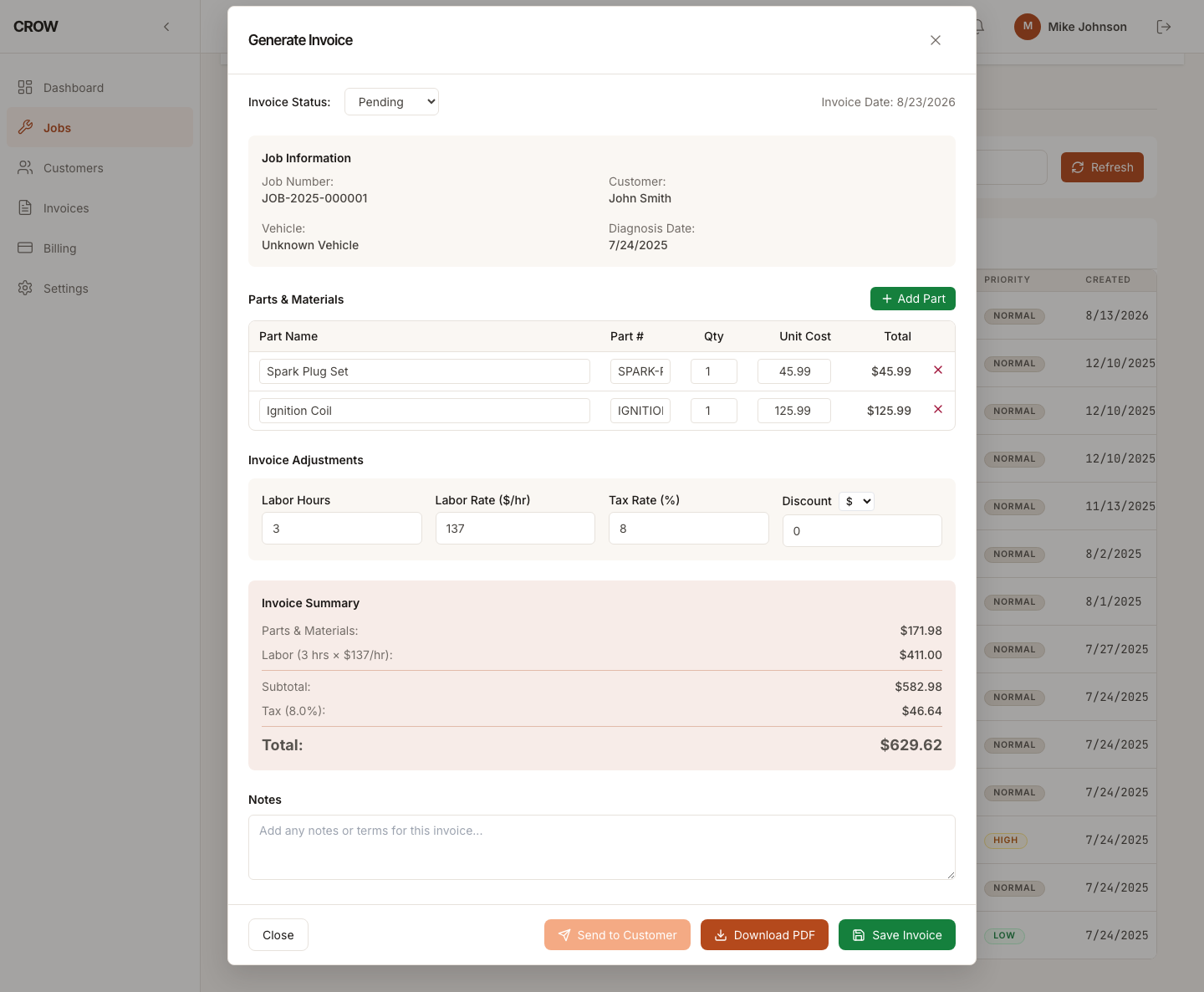
What a repair invoice needs
A customer should be able to read a repair invoice and see exactly what they’re paying for: the parts, the labor, the tax, and any discount. You need the same invoice to be easy to find again when the customer calls with a question, or when the car comes back.
CROW keeps every invoice attached to the job it came from, so the vehicle, the customer and the work all stay together.
Build it from the job
Open a job and start the invoice. The customer and vehicle are already filled in. Then add:
- Parts: name, part number, quantity and unit cost for each one.
- Labor: hours and your hourly rate.
- Tax: your tax rate, as a percentage.
- Discount: a dollar amount or a percentage, if you’re giving one.
Your usual labor rate and tax rate are saved in your settings, so a new invoice starts with them.
If you ran CROW’s AI diagnosis on the job, you can turn what you picked from it (suggested parts, labor hours, recalls and maintenance) into the invoice in one step, then edit any line before you send it.
Save it and reopen it
Save the invoice and it stays with the job. Open it again later and you get exactly what you saved, not a blank form. Edit it and save again, and you update the same invoice rather than creating a second one.
Each invoice has a status (pending, sent, paid or cancelled), so you can see at a glance which ones are still waiting on the customer.
Give the customer a PDF
Download any invoice as a PDF to print, text or email to the customer yourself.
What it costs
Invoicing is part of Mechanic Pro, with jobs, customer and vehicle records, and the rest of CROW. There’s no per-invoice fee. See pricing for monthly and annual prices, or what CROW does for mechanics.