The job board
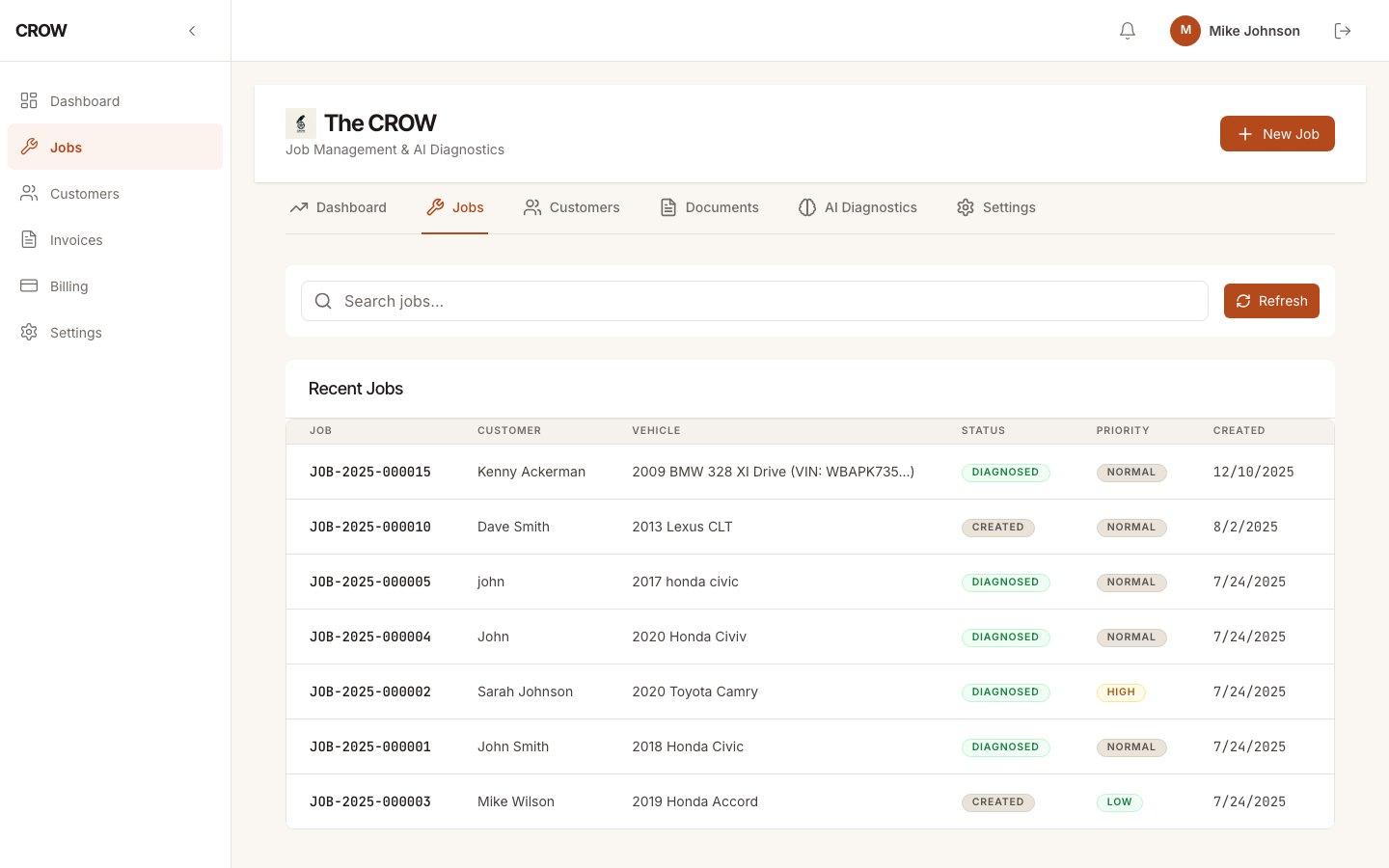
Every car in the shop is a job, with its own repair order number (RO-1001, RO-1002 and so on), the customer, the vehicle and the complaint. Move each job through the stages your shop already uses: created, diagnosing, quoted, approved, in progress, completed, or on hold while you wait for a part.
Search jobs by customer name, phone, VIN, make, model or RO number, and see at a glance how many jobs you’ve taken on this month.
Customer intake before there’s a job
Not every phone call is a job yet. Log it as an inquiry with the customer’s name, phone and vehicle, plus an email and notes if you have them. Inquiries sit in their own list showing how long each one has been waiting, so a callback doesn’t slip.
When the customer books, turn the inquiry into a job in one step. Everything you took down is already filled in, and you can still change any of it.
Customer and vehicle records
Each customer’s jobs stay together. Open a customer and you see every job you’ve done for them, with the vehicle on each one, so a repeat visit starts with the history in front of you.
Diagnosis, estimates and invoices on the same job
Run CROW’s AI diagnosis on a job to get the likely causes for that vehicle, with suggested parts and labor. Turn what you pick into an estimate, then into the invoice, without retyping anything. See repair estimates and invoicing.
Built for one to five bays
CROW is for independent shops and mobile mechanics who need the job board, the customer records and the invoices, and don’t need a system priced for a ten-bay operation. It runs in a web browser on a laptop, a tablet or your phone.
Today CROW has one login per shop. There are no separate technician or service-writer accounts, so it fits best where one or two people run the system.
See pricing for monthly and annual prices.